

在 Bricks 中为多个查询循环应用同一个自定义查询参数
在本教程中,我们将学习如何用一个 PHP 过滤器函数,为多个查询循环修改其查询参数(query var)。关于查询循环的基础布局,可参考 在 Bricks 中将查询循环显示为三列。
前言
在最近的一个项目里,我需要创建多个查询循环,并应用一个在编辑器内无法实现的自定义查询参数:我需要按多个动态值对查询循环排序。所以,我没有为每个元素各写一个过滤器,而是让多个元素共享同一个自定义查询参数选项。
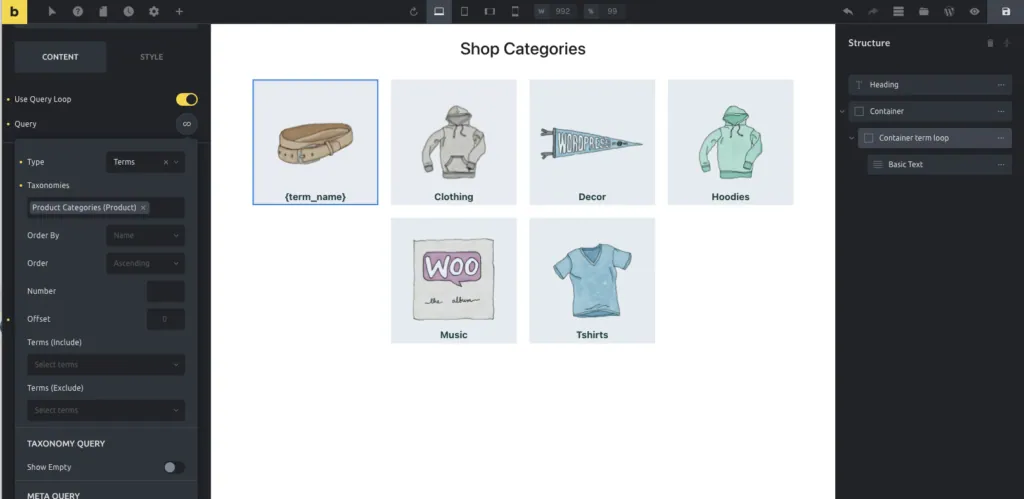
下面看看如何实现。
按元素 ID 定位
首先,我创建了一个数组,列出所有想要修改的查询循环元素的 ID。
然后检查 $element_id 是否在数组中,否则函数直接返回。
最后,把自定义的 meta_query 和 orderby 选项应用到查询参数上。
现在,数组中列出的所有查询循环都会在一个函数内继承我的自定义查询参数。
add_filter( 'bricks/posts/query_vars', function( $query_vars, $settings, $element_id ) {

   // list all the elements' IDs here
   $elements = array(
       'ovkyjc',
       'flmjqp',
       'wyxffa',
       'almdys',
   );

   // Check if the element_id is inside the array
   if ( !in_array($element_id, $elements)) {
      return $query_vars;
   }

   // Apply the custom query var
   $query_vars['meta_query'] = array(
      'relation' => 'AND',
         'featured_clause' => array(
             'key' => 'featured',
             'compare' => 'EXISTS',
             'type'    => 'numeric',
         ),
         'order_clause' => array(
             'key' => 'order',
             'compare' => 'EXISTS',
             'type'    => 'numeric',
         ),
   );
   $query_vars['orderby'] = array(
      'featured_clause' => 'DESC',
      'order_clause' => 'DESC',
   );

   // return the modified query var
   return $query_vars;
}, 10, 3 );
按 class 定位
我们也可以按 class 而非 ID 来定位。
Bricks v1.8+ 的更新说明:
看起来 _cssClasses 不再包含在 $settings 中了,因此不再能像下面代码那样用 class 来识别元素。请改用上面演示的 $element_id —— David。
在查询循环元素上设置一个 class。本例中我们使用 my-special-class。
然后在下面的代码中把变量 $class 设为我们的 class:
add_filter( 'bricks/posts/query_vars', function( $query_vars, $settings, $element_id ) {

   // Set your class here
   $class = 'my-special-class';

   // Check if the element has the correct class set
   if ( !isset( $settings['_cssClasses'] ) || !$settings['_cssClasses'] === $class ) {
      return $query_vars;
   }

   // Apply the custom query var
   $query_vars['meta_query'] = array(
      'relation' => 'AND',
         'featured_clause' => array(
             'key' => 'featured',
             'compare' => 'EXISTS',
             'type'    => 'numeric',
         ),
         'order_clause' => array(
             'key' => 'order',
             'compare' => 'EXISTS',
             'type'    => 'numeric',
         ),
   );
   $query_vars['orderby'] = array(
      'featured_clause' => 'DESC',
      'order_clause' => 'DESC',
   );

   // return the modified query var
   return $query_vars;
}, 10, 3 );
这样就完成了。
小结
通过 bricks/posts/query_vars 过滤器,你可以把一组元素 ID(或 class)集中处理:只要 $element_id 命中列表,就统一注入 meta_query 与 orderby,实现「按 featured 再按 order 双重降序」这类编辑器内无法完成的排序。注意在 Bricks v1.8+ 中,_cssClasses 已不再随 $settings 提供,应优先用元素 ID 来定位。
延伸阅读
ACF Relationship 字段 + Bricks 查询循环:显示关联文章
教程:ACF Relationship 字段 + Bricks 查询循环:显示关联文章——acf 附完整代码可直接复用,适合外贸独立站与 WordPress 开发者。
tutorialBricks 查询循环按 ACF Repeater 子字段值筛选行
教程:Bricks 查询循环按 ACF Repeater 子字段值筛选行——acf 附完整代码可直接复用,适合外贸独立站与 WordPress 开发者。
tutorialBricks 按 ACF Repeater 子字段排序行
教程:Bricks 按 ACF Repeater 子字段排序行——acf 附完整代码可直接复用,适合外贸独立站与 WordPress 开发者。
tutorialBricks 让元素输出 N 次(N = 自定义字段值):Array 查询类型实战
教程:Bricks 让元素输出 N 次(N = 自定义字段值):Array 查询类型实战——query loop 附完整代码可直接复用,适合外贸独立站与 WordPress 开发者。